

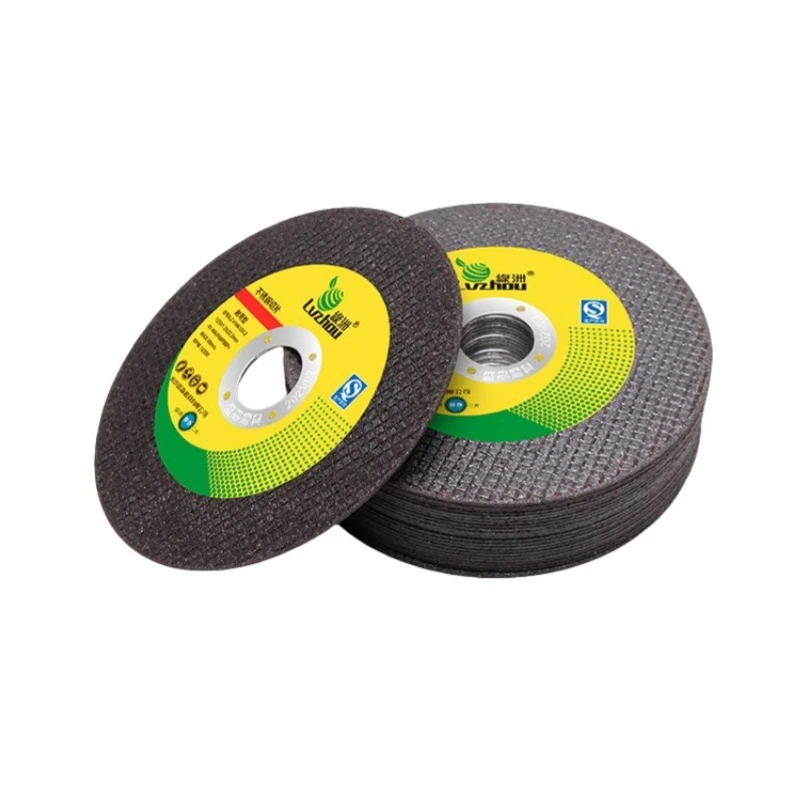
Ultra-thin cutting discs are widely used for cutting stainless steel, carbon steel, metal pipes, profiles, and other metal materials. Their thin cutting edges help reduce material loss, improve cutting efficiency, and produce narrower kerfs.
However, users may sometimes experience problems such as disc breakage, excessive heat, slow cutting, uneven cuts, or unusual vibration.
In many cases, these problems are not caused by the cutting disc alone. Incorrect operation, unsuitable equipment, improper installation, and selecting the wrong disc for the material can also affect cutting performance.
This guide explains five common problems with ultra-thin cutting discs, their possible causes, and practical solutions.
1. Cutting Disc Breakage or Cracking
Disc breakage is one of the most serious problems when using ultra-thin cutting discs. It can result from excessive pressure, improper installation, or incorrect operation.
Common Causes
Excessive side pressure: Ultra-thin cutting discs are designed for cutting, not grinding. Applying sideways pressure can cause bending stress and disc damage.
Incorrect cutting angle: Tilting the grinder or forcing the disc into the workpiece may create uneven stress.
Workpiece movement: An improperly secured workpiece can shift during cutting and cause the disc to become trapped.
Improper installation: Damaged or unsuitable flanges, incorrect mounting, or a worn spindle can cause uneven loading.
Excessive operating speed: Using a disc at a speed higher than its marked maximum speed can create a serious safety hazard.
Damaged or improperly stored discs: Cracks, edge damage, moisture, and unsuitable storage conditions may affect disc performance.
How to Solve It?
Check the cutting disc carefully before installation. Never use a disc with visible cracks or damage.
Make sure the disc diameter, bore size, and maximum operating speed are compatible with the machine.
Check that the flanges are clean, flat, and suitable for the disc.
Secure the workpiece firmly before cutting.
Allow the disc to cut at its own speed. Avoid excessive pressure or sudden force.
Never use a cutting disc for side grinding.
Important: A damaged cutting disc should never be used, even if the damage appears minor. Always follow the manufacturer's instructions and applicable safety requirements.
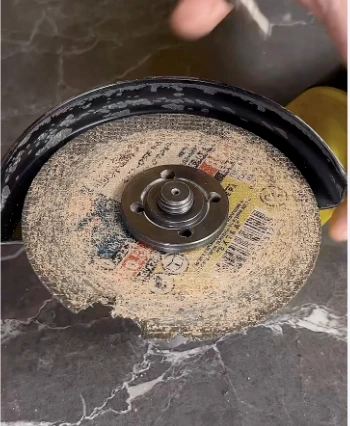
2. Excessive Heat, Burning Marks, or a Burning Smell
Excessive heat during cutting can cause discoloration, burning marks, and reduced cutting performance. In some cases, it may also indicate that the selected disc is unsuitable for the material or application.
Common Causes
Incorrect disc selection: A disc that is too hard or has insufficient cutting ability may rub against the workpiece instead of cutting efficiently.
Excessive cutting pressure: Heavy pressure can increase friction and heat generation.
Slow or interrupted cutting: Holding the disc against the workpiece for too long may cause localized overheating.
Unsuitable material combination: Stainless steel and other difficult-to-cut materials require an appropriately formulated cutting disc.
Insufficient machine power or unstable operation: Poor machine performance can affect cutting efficiency and increase friction.
How to Solve It?
Choose a cutting disc specifically designed for the material, especially when cutting stainless steel.
Use steady, controlled cutting pressure rather than forcing the disc.
Avoid keeping the disc in contact with the workpiece when it is not making progress.
Check the machine's condition and operating speed.
If excessive heat or an unusual burning smell continues, stop the machine and inspect the disc and equipment.
For resin-bonded cutting discs, do not introduce water or other cooling liquids unless the disc and machine are specifically designed and approved for wet cutting.

3. Slow Cutting Speed or Poor Cutting Efficiency
A cutting disc that cuts slowly can increase labor costs and reduce production efficiency. Replacing the disc immediately is not always the answer. The cause should be identified first.
Common Causes
Wrong abrasive type: The abrasive may not be suitable for the material being cut.
Incorrect grit size: An unsuitable abrasive grain size can affect cutting speed and surface finish.
Disc hardness is too high: The abrasive grains may not release effectively during cutting, reducing the disc's self-sharpening ability.
Insufficient machine power: A low-powered or poorly maintained grinder may not provide stable cutting performance.
Excessive pressure: Pressing too hard can cause premature wear without necessarily improving cutting speed.
Disc wear: A worn or glazed disc may lose its cutting ability.
How to Solve It?
Select the correct cutting disc for stainless steel, carbon steel, or other specific materials.
Check the abrasive type and disc hardness for the intended application.
Use a machine with suitable power and operating speed.
Maintain a steady cutting movement and avoid excessive pressure.
Replace the disc when it becomes worn or damaged.
A properly selected ultra-thin cutting disc should provide a balance between cutting speed, disc life, and cutting quality.
4. Uneven Cuts, Burrs, or Poor Cutting Quality
A clean and straight cut is important in metal fabrication, especially when further welding, assembly, or finishing is required.
If the cutting surface is uneven or has excessive burrs, both the cutting disc and the equipment should be checked.
Common Causes
Machine spindle runout: Excessive radial or axial movement can cause the disc to wobble.
Incorrect flange installation: Uneven or incompatible flanges may affect disc stability.
Loose workpiece: Movement during cutting can produce an uneven cutting line.
Uneven pressure: Applying inconsistent pressure may cause the disc to deviate from the intended cutting direction.
Poor disc quality: Uneven thickness, poor balance, or inconsistent manufacturing quality can affect cutting stability.
How to Solve It
Inspect the grinder spindle and check for abnormal movement.
Make sure the mounting flanges are clean, flat, and correctly installed.
Secure the workpiece before cutting.
Keep the cutting disc aligned with the cutting line.
Choose a cutting disc with consistent thickness, good balance, and stable manufacturing quality.
If the disc vibrates abnormally, stop the machine immediately and investigate the cause before continuing.

5. Vibration, Unusual Noise, or Rapid Disc Wear
Vibration and unusual noise should never be ignored. They may indicate an installation problem, equipment fault, or damaged cutting disc.
Common Causes
Worn or damaged machine spindle.
Incorrectly installed or unsuitable flanges.
Loose mounting components.
Damaged or defective cutting discs.
Incorrect cutting technique or excessive pressure.
Using a disc beyond its recommended service life.
How to Solve It
Stop the machine and disconnect the power before inspection.
Check the cutting disc for cracks, chips, or other visible damage.
Inspect the spindle, flanges, and mounting components.
Make sure the disc is correctly installed and suitable for the machine.
Replace damaged components before restarting the machine.
Never attempt to continue cutting with a disc that produces abnormal vibration or unusual noise.
How to Choose the Right Ultra-Thin Cutting Disc
Selecting the right disc is essential for achieving good cutting performance and safe operation.
Before purchasing, consider the following factors:
| Selection Factor | What to Check |
|---|---|
| Cutting material | Stainless steel, carbon steel, or other metals |
| Disc diameter | Must match the machine |
| Disc thickness | Choose according to cutting requirements |
| Bore size | Must match the machine spindle |
| Abrasive type | Select according to the workpiece material |
| Maximum operating speed | Must be compatible with the machine |
| Product standard | Check applicable safety and quality requirements |
For stainless steel applications, choose a suitable stainless-steel cutting disc. If low contamination is important, check the manufacturer's specifications for iron, sulfur, and chlorine content rather than assuming all cutting discs have the same composition.
Frequently Asked Questions
Q1: Why does my ultra-thin cutting disc break during cutting?
Excessive side pressure, incorrect installation, a loose workpiece, damaged discs, or excessive operating speed can all contribute to disc breakage. Always inspect the disc and equipment before use.
Q2: Why does a cutting disc turn black or produce burning marks on stainless steel?
This may be caused by excessive friction, unsuitable disc specifications, excessive pressure, or poor cutting technique. Check the disc selection and machine condition.
Q3: How can I improve the cutting speed of an ultra-thin cutting disc?
Choose the correct abrasive formulation and disc hardness for the material. Also check the machine's power, operating speed, and cutting technique.
Q4: Can an ultra-thin cutting disc be used for grinding?
No. Resin-bonded cutting discs are designed for cutting operations. Side grinding can create dangerous bending stress and increase the risk of disc breakage.
Q5: How should ultra-thin cutting discs be stored?
Store them in a dry, clean environment, away from excessive heat, moisture, and mechanical damage. Follow the manufacturer's storage instructions.
Looking for Reliable Ultra-Thin Cutting Discs?
Choosing the right cutting disc can make a significant difference in cutting efficiency, product quality, and operating safety.
we supply resin-bonded cutting and grinding products for metalworking applications. We focus on product specifications, consistent quality, and suitable solutions for different customer requirements.
Whether you are an importer, distributor, or industrial user, contact us to discuss your requirements for ultra-thin cutting discs.
https://www.xfabrasive.com/cutting-wheel/107mm-cutting-disc-for-stainless-steel.html
Contact us for product details, specifications, and quotations.
Tel:008618560921569
Email: yfabrasive@163.com
What'sapp : 008613361403292


